
Download Pixlr‑o‑matic – Free Online Photo Editor with Filters, Effects & Frames
Overview: Turn Simple Shots into Eye‑Catching Art in Three Clicks
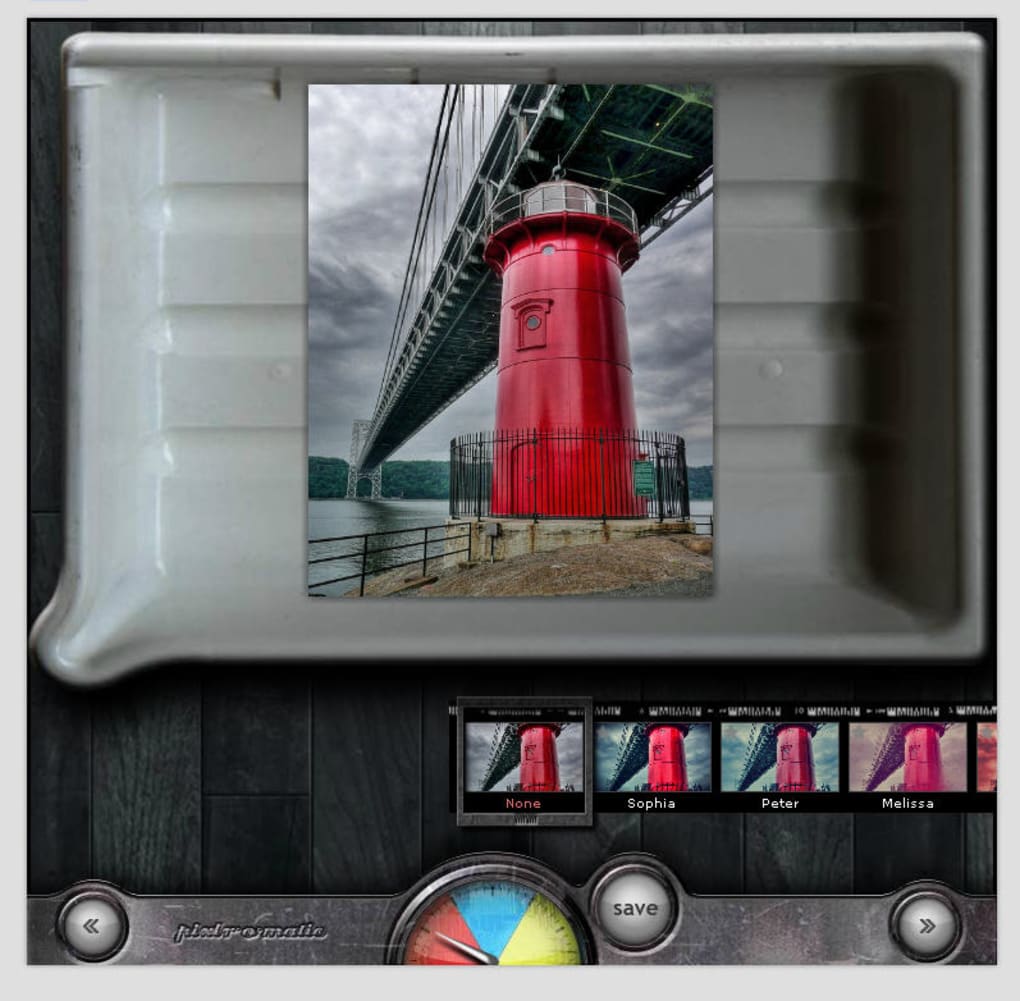
Pixlr‑o‑matic is a web‑based photo‑editing tool that lets anyone transform ordinary images into striking visual pieces without the steep learning curve of professional software. Built by the creators of the renowned Pixlr Editor, this app focuses on speed, simplicity, and an intuitive three‑step workflow. First, you upload a picture from your computer or paste an image URL.
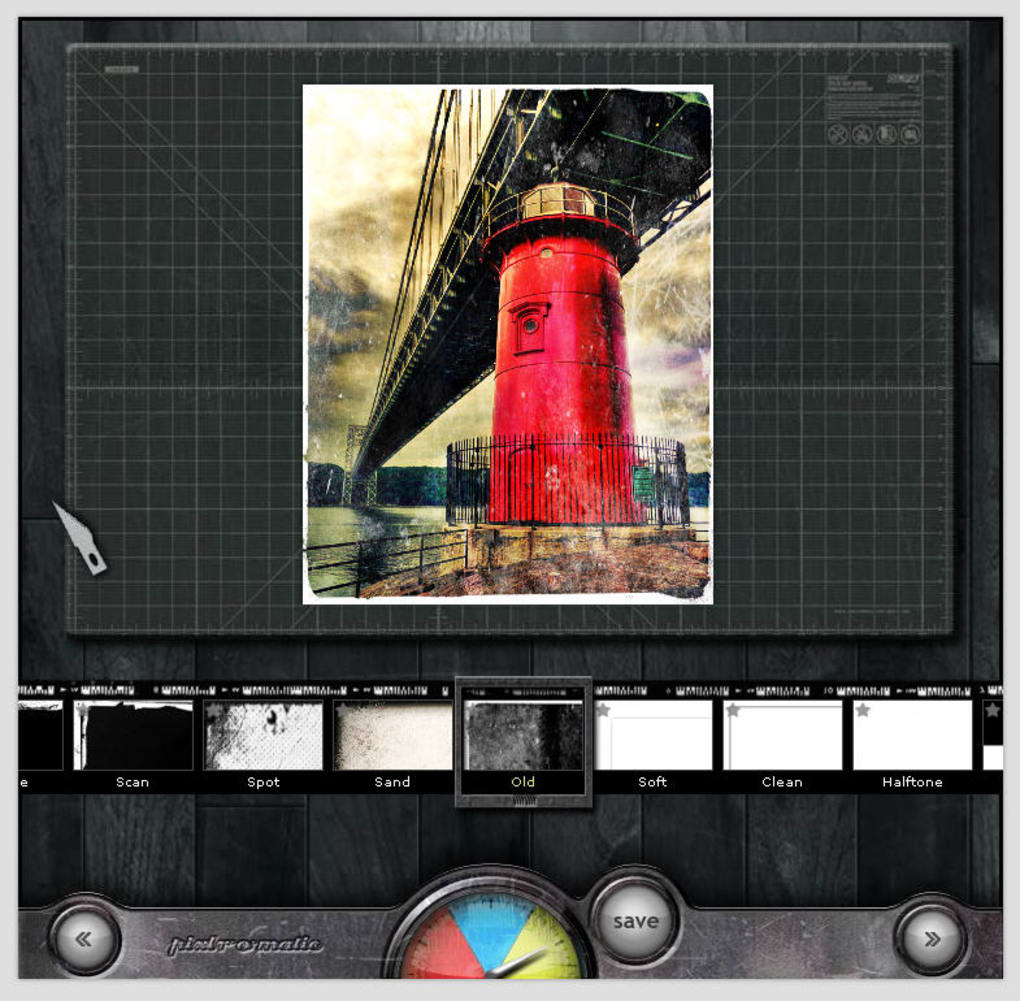
Next, you select a tonal filter that adjusts overall lighting and color balance. The second step opens a gallery of creative effects—raindrops, scratches, glowing flares, and more—allowing you to add personality in seconds. Finally, you finish the look with a custom frame or border, giving the image a polished, share‑ready finish.
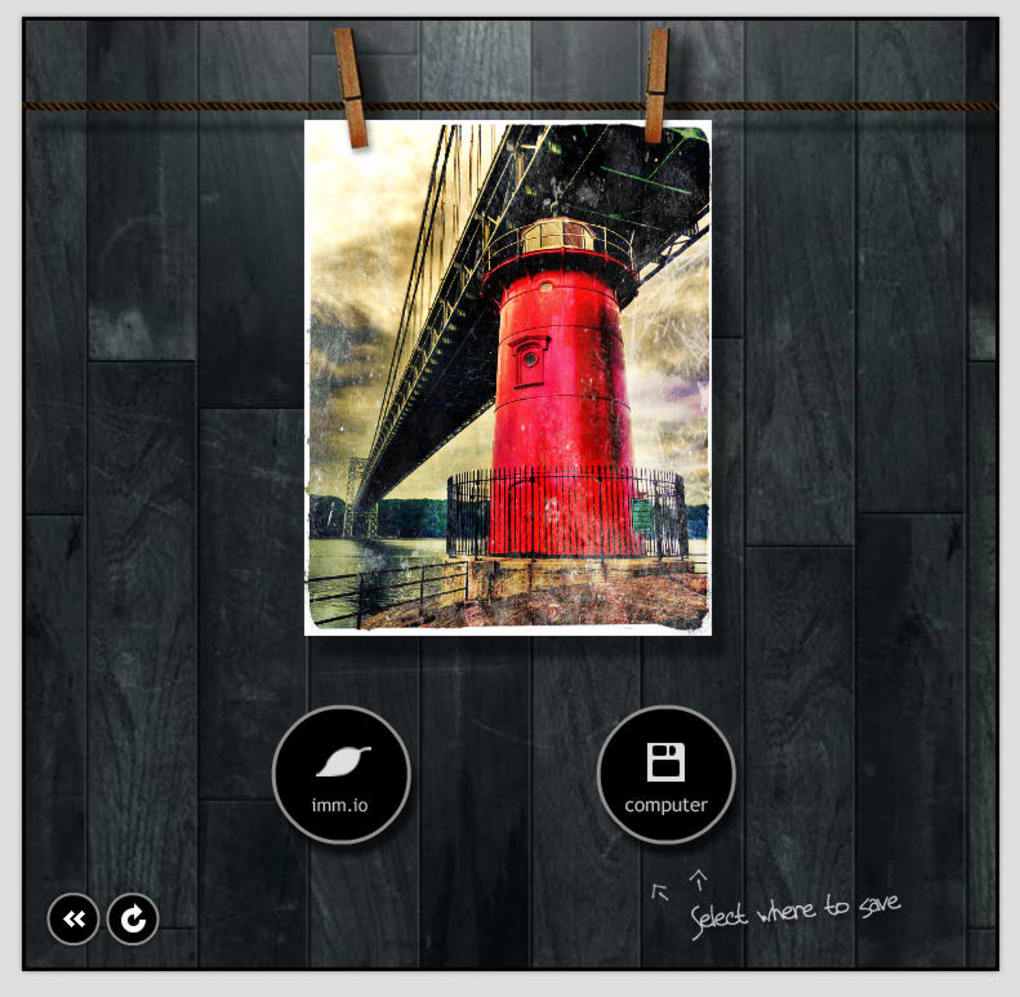
The interface keeps a real‑time preview visible at all times, so you can instantly see how each filter or effect changes the picture. When you’re satisfied, you can either download the edited file to your hard drive or push it to the imm.io online gallery for quick access. While Pixlr‑o‑matic does not currently integrate directly with Flickr, Google Photos, or social platforms, its lightweight design and cloud‑free operation make it a secure choice for quick edits on any device with a modern browser.
Whether you’re a social‑media enthusiast looking for fast visual upgrades, a small‑business owner needing attractive product shots, or a hobbyist who simply enjoys playing with image styles, Pixlr‑o‑matic delivers professional‑looking results in under five minutes. Its free‑to‑use model, zero‑install requirement, and cross‑platform accessibility position it as a valuable addition to any creator’s toolkit.
Key Features, Pros & Cons of Pixlr‑o‑matic
- Three‑step workflow: filter → effect → frame.
- Over 50 ready‑made filters covering vintage, black‑and‑white, HDR, and more.
- Special effects library with animated overlays, light leaks, and texture scratches.
- Customizable borders and frames, including seasonal and thematic designs.
- Live preview updates for instant visual feedback.
- One‑click upload from local drive or external URL.
- Export options: JPEG, PNG, and direct save to imm.io gallery.
- Fully web‑based – works on Windows, macOS, Linux, Android, and iOS browsers.
- Free tier with no hidden charges; premium add‑ons available for advanced users.
Pros
- Ultra‑simple interface ideal for beginners.
- No software download or installation required.
- Fast processing – most edits complete in seconds.
- High‑quality output suitable for social media and print.
- Secure, browser‑based editing keeps your images private.
Cons
- Lacks direct integration with popular photo‑sharing services.
- Limited advanced editing tools (e.g., layers, masks).
- Requires an internet connection for every edit.
- Free version imposes a modest watermark on certain premium frames.
Installation, Usage Instructions & Compatibility
Because Pixlr‑o‑matic runs entirely in the browser, there’s no traditional installation process. Follow these steps to start editing in under a minute:
- Open your preferred browser (Chrome, Firefox, Edge, Safari, or any modern mobile browser).
- Navigate to the official Pixlr‑o‑matic URL: https://pixlr.com/o-matic/.
- Click the “Open Image” button. You can either drag‑and‑drop a file, browse your device, or paste a direct image URL.
- After the image loads, the first panel displays a selection of tonal filters. Click any filter to apply it; the preview updates instantly.
- Proceed to the second step to choose from the effects library. Hover over an effect for a short description, then click to add it.
- In the final step, browse the frame collection. Pick a border that complements your style, or skip this step if you prefer a clean edge.
- When you’re happy with the result, click “Save” to download the file or “Upload to imm.io” for cloud storage.
Pixlr‑o‑matic is compatible with a wide range of operating systems because it relies on standard web technologies. It works on:
Windows 10/11, macOS Catalina and later, Linux distributions with a modern browser, Android 8.0+ (Chrome or Firefox), and iOS 13+ (Safari or Chrome). The tool automatically adjusts its layout for touch screens, making mobile editing just as smooth as desktop usage.
For optimal performance, ensure your browser is up to date and that you have a stable internet connection. While the application is lightweight, large image files (>15 MB) may take a few extra seconds to load and process.
Frequently Asked Questions
Is Pixlr‑o‑matic really free to use?
Yes, the core three‑step editor is completely free. Premium frames and some advanced effects are available as optional paid add‑ons, but they are not required for basic photo enhancement.
Do I need to create an account to edit photos?
No account is necessary for standard editing and downloading. An account is only required if you want to save images directly to the imm.io gallery.
Can I edit RAW files with Pixlr‑o‑matic?
The web version does not support RAW formats. Convert your RAW files to JPEG or PNG before uploading for the best results.
Is there a limit on how many images I can edit per day?
There is no hard daily limit for the free tier. However, extremely high usage may trigger temporary rate‑limiting to protect server performance.
How secure is my uploaded image?
All uploads are processed over HTTPS, and images are stored only for the duration of the editing session unless you choose to save them to imm.io. Pixlr‑o‑matic does not share your photos with third parties.
Conclusion & Call to Action
Pixlr‑o‑matic delivers a compelling blend of speed, simplicity, and visual flair that makes it a standout choice for quick photo enhancements. Its three‑step process removes the intimidation factor commonly associated with image editing, while the extensive filter and effect library ensures you never run out of creative options. Although it lacks deep integration with social platforms and advanced layer‑based tools, the free, browser‑based nature of the app compensates with accessibility across all major operating systems.
If you need a reliable, secure, and instantly available solution to add professional‑grade polish to your images—whether for Instagram stories, e‑commerce product listings, or personal photo albums—Pixlr‑o‑matic is ready to help. Click the button below to launch the editor, start experimenting with filters, and see how fast your pictures can transform into share‑worthy artwork.



.png)



